

|
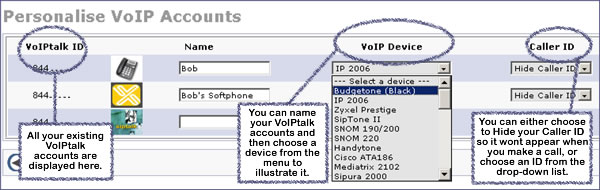
My VoIP AccountFor ease of use you can choose to name and graphically identify your VoIP accounts online. This is particularly useful if you have several phones set up, and allows you set up a nickname for each account for easy identification. In the space provided under 'Name' and next to your selected VoIPtalk account, enter a name to identify the account. You can choose a device image from the drop-down menu to illustrate your account. This will be displayed as a small icon next to the account. From the Caller ID menu, choose a number to be your caller ID when you call other people. This means that when you call someone, that number will be displayed on the called person's phone display. If you do not want your number to be shown then select ‘Hide Caller ID’. Dialing *141 before making an outgoing PSTN call will also mean that your Caller ID will not be displayed for that call and will override your settings. Click on ‘Update’ to save your changes.
|
|
| << VoIP Incoming Numbers | Route Incoming VoIP Calls >> |